
VS Code & Cursor — копировать/вставить в терминале — Ctrl+C/Ctrl+V
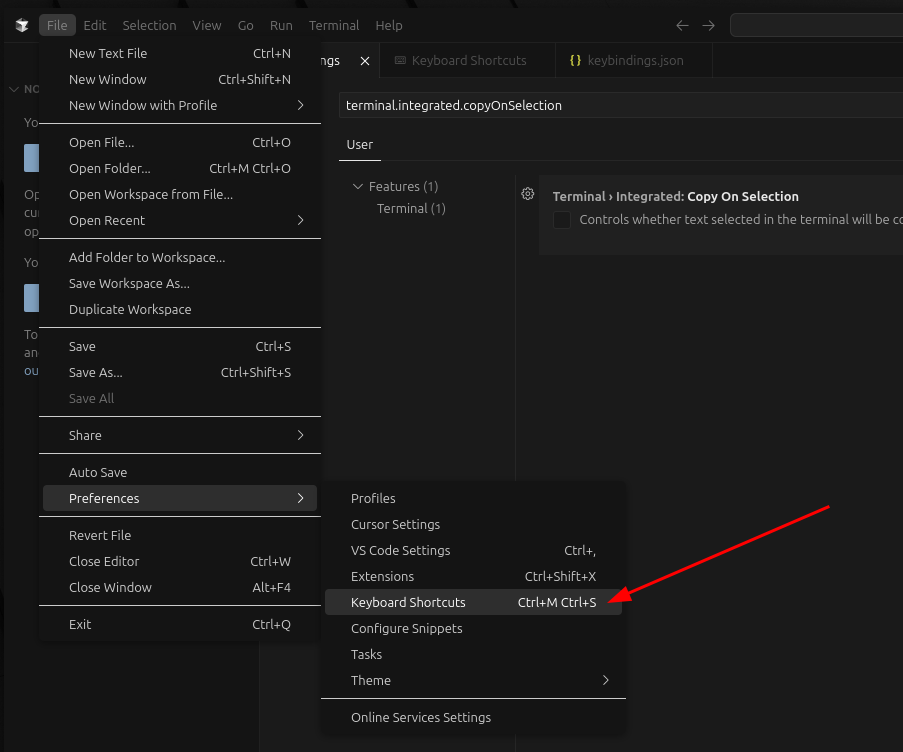
File -> Preferences -> Keyboard Shortcuts
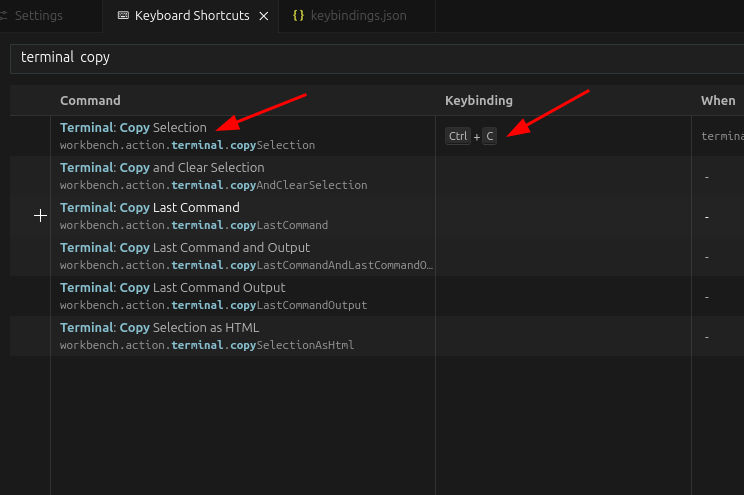
В поиске набрать «terminal copy». Для параметра «Terminal: Copy Selection» указать «ctrl+c»
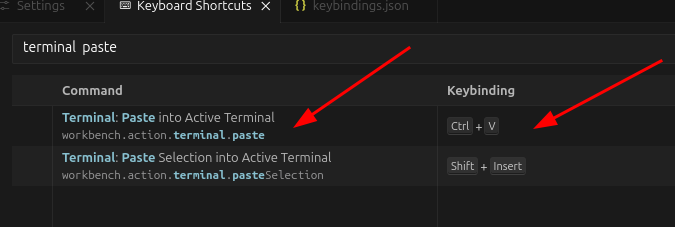
В поиске набрать «terminal paste». Для параметра «Terminal: Paste into Active Terminal» указать «ctrl+v»
Или вот конфиг «~/.config/Cursor/User/keybindings.json»
// Place your key bindings in this file to override the defaults[ { «key»: «ctrl+i», «command»: «composerMode.agent» }, { «key»: «ctrl+c», «command»: «workbench.action.terminal.copySelection», «when»: «terminalTextSelectedInFocused || terminalFocus && terminalHasBeenCreated && terminalTextSelected || terminalFocus && terminalProcessSupported && terminalTextSelected || terminalFocus && terminalTextSelected && terminalTextSelectedInFocused || terminalHasBeenCreated && terminalTextSelected && terminalTextSelectedInFocused || terminalProcessSupported && terminalTextSelected && terminalTextSelectedInFocused» }, { «key»: «ctrl+shift+c», «command»: «-workbench.action.terminal.copySelection», «when»: «terminalTextSelectedInFocused || terminalFocus && terminalHasBeenCreated && terminalTextSelected || terminalFocus && terminalProcessSupported && terminalTextSelected || terminalFocus && terminalTextSelected && terminalTextSelectedInFocused || terminalHasBeenCreated && terminalTextSelected && terminalTextSelectedInFocused || terminalProcessSupported && terminalTextSelected && terminalTextSelectedInFocused» }, { «key»: «ctrl+v», «command»: «workbench.action.terminal.paste», «when»: «terminalFocus && terminalHasBeenCreated || terminalFocus && terminalProcessSupported» }, { «key»: «ctrl+shift+v», «command»: «-workbench.action.terminal.paste», «when»: «terminalFocus && terminalHasBeenCreated || terminalFocus && terminalProcessSupported» }]