Windows 7 достигла конца срока службы (EOL) 14 января 2020 года. Окончание срока службы означает, что Microsoft больше не будет поддерживать Windows 7, а обновления безопасности / качества для операционной системы не будут выпускаться, что делает ее уязвимой для различных угроз с течением времени.
Архив рубрики: Публикации
Прохождения теста на премиальные задания WorkZilla
Недавно на сервисе work-zilla появилось нововведение – возможность пройти тест на получение премиальных заданий.
Что же дает прохождение данного теста? По заверению самого сервиса, исполнители, которые смогут его пройти будут первыми попадать в кандидаты на дорогие задания. Что, согласитесь, будет довольно не лишним в работе.
Работа с терминалом в Mac OS: основы. Полезные команды для Terminal
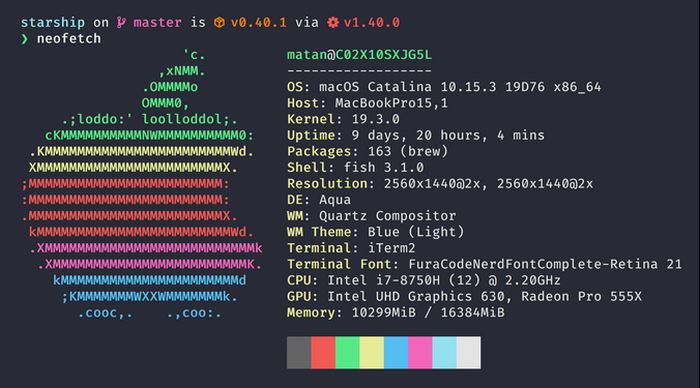
Многие пользователи операционной системы Mac OS довольно редко посещают терминал. Обычному пользователю он кажется чем-то непонятным и ненужным. Однако, это не так.
Во многих кейсах использования работа с терминалом способна облегчить вам жизнь. В этой статье мы подробно разберем что такое терминал и как его использовать. Расскажем как он может помогать вам для настройки и устранения неполадок вашего Mac. А также приведем наиболее часто используемые команды терминала. Читать
Поисковики для Тор браузера
Хотя поисковые системы в тор браузере далеко не такие, как Google или Yandex, ряд аналогов, все же, присутствует. В этом разделе мы собрали лучшие поисковики и каталоги ссылок в тор браузере, по нашему мнению. Читать
Media creation tool: что это за программа
Media Creation Tool – один из самых популярных софтов для установки Windows 10 и создания загрузочного USB или DVD носителя. Поскольку этот инструмент от Microsoft, он очень надежен и легок в применении. Читать
Microsoft Edge что это за программа
Microsoft Edge был первым крупным ребрендингом Internet Explorer (IE) с 1995 года, открывшим совершенно новый пользовательский интерфейс и множество новых функций.
Многие не хотят использовать его после того, как браузер попадает на их устройства, и слишком многие считают, что это просто еще один браузер Microsoft, который следует использовать для загрузки Google Chrome.
Читать