В этом руководстве вы узнаете, как установить Wireshark на Rocky Linux.
Wireshark является самым передовым и широко используемым в мире анализатором сетевых протоколов.
Некоторые из возможностей Wireshark включают;
- Глубокая проверка сотен протоколов, причем постоянно добавляются новые.
- Захват в реальном времени и автономный анализ
- Стандартный трехпанельный браузер пакетов
- Мультиплатформенность: Работает на Windows, Linux, macOS, Solaris, FreeBSD, NetBSD и многих других.
- Захваченные сетевые данные можно просматривать через графический интерфейс или с помощью утилиты TShark, работающей в режиме TTY.
- Самые мощные фильтры отображения в отрасли
- Богатый анализ VoIP
- Чтение/запись множества различных форматов файлов захвата: tcpdump (libpcap), Pcap NG, Catapult DCT2000, Cisco Secure IDS iplog, Microsoft Network Monitor …
- Файлы захвата, сжатые с помощью gzip, могут быть распакованы на лету.
- Живые данные могут быть считаны из Ethernet, IEEE 802.11, PPP/HDLC, ATM, Bluetooth, USB, Token Ring, Frame Relay, FDDI и других (в зависимости от вашей платформы).
- Поддержка расшифровки многих протоколов, включая IPsec, ISAKMP, Kerberos, SNMPv3, SSL/TLS, WEP и WPA/WPA2.
- Правила раскраски могут быть применены к списку пакетов для быстрого, интуитивно понятного анализа
- Результаты можно экспортировать в XML, PostScript, CSV или обычный текст.
Обратите внимание, что сканирование или прослушивание любого сетевого трафика без разрешения на это является преступлением, в противном случае использование программы может привести вас в тюрьму.
Установка Wireshark в Rocky Linux
Wireshark доступен в репозиториях Rocky Linux по умолчанию.
Однако доступные версии могут быть не самыми последними.
Wireshark 3.6.3 является текущим стабильным релизом на момент написания этой статьи.
Чтобы подтвердить это, выполните приведенные ниже команды, чтобы проверить доступную версию Wireshark на Rocky Linux;
sudo dnf info wiresharkВывод:
Available Packages

Name         : wireshark

Epoch        : 1

Version      : 2.6.2

Release      : 14.el8

Architecture : x86_64

Size         : 3.6 M

Source       : wireshark-2.6.2-14.el8.src.rpm

Repository   : appstream

Summary      : Network traffic analyzer

URL          : http://www.wireshark.org/

License      : GPL+
Как видите, последняя версия Wireshark доступна на Rocky Linux.
Следовательно, чтобы установить Wireshark на Rocky Linux, по крайней мере, последние версии, необходимо собрать его из исходников.
Чтобы собрать Wireshark из исходного кода на Rocky Linux;
Установите необходимые инструменты сборки
dnf install qt5-devel gcc gcc-c++ bison flex libpcap-devel

gtk3-devel rpm-build libtool c-ares-devel qt5-qtbase-devel

qt5-qtmultimedia-devel qt5-linguist desktop-file-utils

createrepo glib2-devel perl perl-devel tcpdump libcap-devel

libssh-devel krb5-devel perl-Parse-Yapp snappy-devel git

minizip-devel lz4 libxml2-devel spandsp-devel systemd-devel -y
Установите Wireshark на Rocky Linux
Загрузите последнюю версию исходного кода Wireshark со страницы скаивания.
https://www.wireshark.org/#download
wget https://1.eu.dl.wireshark.org/src/wireshark-3.6.3.tar.xzИзвлеките исходный код Wireshark.
tar xJf wireshark-3.6.3.tar.xzКомпиляция исходного кода Wireshark
cd wireshark-3.6.3cmake .Образец вывода команды;
...

-- The following OPTIONAL packages have been found:


 * Git

 * GMODULE2

 * Gettext

 * LIBSSH (required version >= 0.6), Library for implementing SSH clients,

   extcap remote SSH interfaces (sshdump, ciscodump)

 * PCAP

 * Systemd, System and Service Manager (libraries),

   Support for systemd journal extcap interface (sdjournal)

 * GNUTLS (required version >= 3.3.0)

 * KERBEROS

 * ZLIB

 * Minizip, Mini zip and unzip based on zlib,

   Support for profiles import/export

 * SNAPPY, A fast compressor/decompressor from Google,

   Snappy decompression in CQL and Kafka dissectors

 * SPANDSP, a library of many DSP functions for telephony,

   Support for G.722 and G.726 codecs in RTP player

 * LibXml2

 * CAP, The Libcap package implements the user-space interfaces to the POSIX 1003.1e capabilities available in Linux kernels,

   Allow packet captures without running as root

 * SETCAP

 * XSLTPROC


-- The following REQUIRED packages have been found:


 * GLIB2 (required version >= 2.38.0)

 * GTHREAD2

 * GCRYPT (required version >= 1.5.0)

 * CARES (required version >= 1.5.0), Library for asynchronous DNS requests,

   DNS name resolution for captures

 * LEX

 * Perl

 * Python3 (required version >= 3.4)

 * M

 * Qt5Core

 * Qt5LinguistTools

 * Qt5Network (required version >= 5.15.2)

 * Qt5Gui (required version >= 5.15.2)

 * Qt5Multimedia

 * Qt5PrintSupport

 * Qt5Widgets


-- The following OPTIONAL packages have not been found:


 * MaxMindDB, C library for the MaxMind DB file format,

   Support for GeoIP lookup

 * SMI, Library to access SMI management information,

   Support MIB and PIB parsing and OID resolution

 * BROTLI

 * LZ4, LZ4 is a fast lossless compression algorithm,

   LZ4 decompression in CQL and Kafka dissectors, read compressed capture files

 * ZSTD (required version >= 1.0.0), A compressor/decompressor from Facebook providing better compression than Snappy at a cost of speed,

   Zstd decompression in Kafka dissector, read compressed capture files

 * NGHTTP2, HTTP/2 C library and tools,

   Header decompression in HTTP2

 * LUA (required version >= 5.1)

 * NL, Libraries for using the Netlink protocol on Linux,

   Support for managing wireless 802.11 interfaces

 * SBC, Bluetooth low-complexity, subband codec (SBC) decoder,

   Support for playing SBC codec in RTP player

 * BCG729, G.729 decoder,

   Support for G.729 codec in RTP player

 * ILBC, iLBC decoder,

   Support for iLBC codec in RTP player

 * OPUS, opus decoder,

   Support for opus codec in RTP player

 * DOXYGEN

 * SpeexDSP, SpeexDSP is a patent-free, Open Source/Free Software DSP library,

   RTP audio resampling

 * Asciidoctor (required version >= 1.5)


We are on tag v3.6.3.

vcs_version.h unchanged.

-- Configuring done

-- Generating done

-- Build files have been written to: /root/wireshark-3.6.3
Исправьте все ошибки, прежде чем продолжить, на всякий случай.
Сборка Wireshark
makeУстановка Wireshark на Rocky Linux
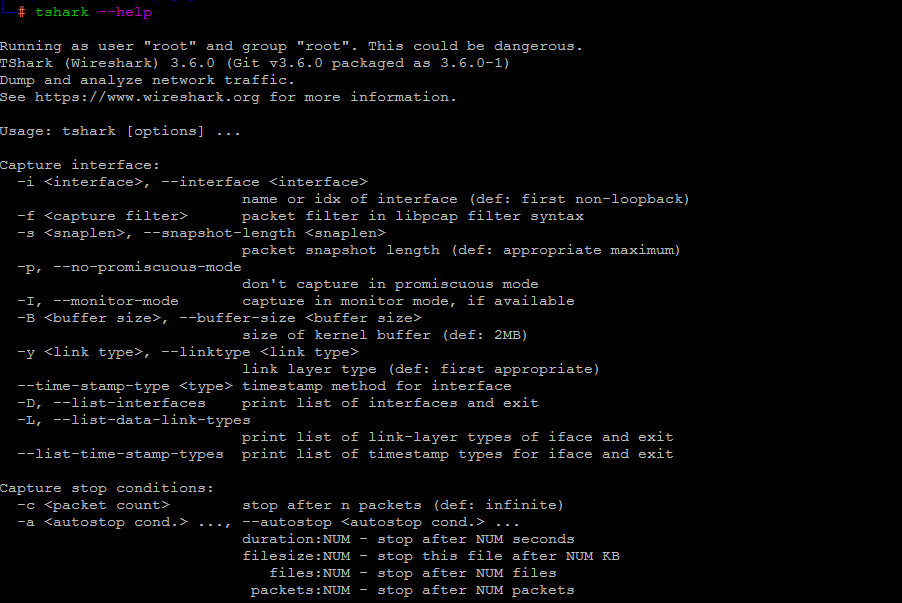
make installТакже установлена утилита командной строки Tshark;
tshark --helpTShark (Wireshark) 3.6.3 (Git commit 6d348e4611e2)
Dump and analyze network traffic.
See https://www.wireshark.org for more information.
Usage: tshark [options] ...
Capture interface:
-i , --interface
name or idx of interface (def: first non-loopback)
-f packet filter in libpcap filter syntax
-s , --snapshot-length
packet snapshot length (def: appropriate maximum)
-p, --no-promiscuous-mode
don't capture in promiscuous mode
-I, --monitor-mode capture in monitor mode, if available
-B , --buffer-size
size of kernel buffer (def: 2MB)
-y , --linktype
link layer type (def: first appropriate)
--time-stamp-type timestamp method for interface
-D, --list-interfaces print list of interfaces and exit
-L, --list-data-link-types
print list of link-layer types of iface and exit
--list-time-stamp-types print list of timestamp types for iface and exit
Capture stop conditions:
-c stop after n packets (def: infinite)
-a ..., --autostop ...
duration:NUM - stop after NUM seconds
filesize:NUM - stop this file after NUM KB
files:NUM - stop after NUM files
packets:NUM - stop after NUM packets
Capture output:
-b ..., --ring-buffer
duration:NUM - switch to next file after NUM secs
filesize:NUM - switch to next file after NUM KB
files:NUM - ringbuffer: replace after NUM files
packets:NUM - switch to next file after NUM packets
interval:NUM - switch to next file when the time is
an exact multiple of NUM secs
Input file:
-r , --read-file
set the filename to read from (or '-' for stdin)
Processing:
-2 perform a two-pass analysis
-M perform session auto reset
-R , --read-filter
packet Read filter in Wireshark display filter syntax
(requires -2)
-Y , --display-filter
packet displaY filter in Wireshark display filter
syntax
-n disable all name resolutions (def: "mNd" enabled, or
as set in preferences)
-N enable specific name resolution(s): "mnNtdv"
-d ==, ...
"Decode As", see the man page for details
Example: tcp.port==8888,http
-H read a list of entries from a hosts file, which will
then be written to a capture file. (Implies -W n)
--enable-protocol
enable dissection of proto_name
--disable-protocol
disable dissection of proto_name
--enable-heuristic
enable dissection of heuristic protocol
--disable-heuristic
disable dissection of heuristic protocol
Output:
-w <outfile|-> write packets to a pcapng-format file named "outfile"
(or '-' for stdout)
--capture-comment
add a capture file comment, if supported
-C start with specified configuration profile
-F </outfile|->